Maya · Premiere Pro · After Effects

Tools Built
for Artists

Professional workflow tools for Premiere Pro, After Effects and Maya.

Recover the edit behind Dynamic Link

Recover the original Premiere Pro clips, edit points, and timeline structure behind existing After Effects Dynamic Link edits.

Timeline Memory recovery workflow: After Effects Dynamic Link composition restored to the original Premiere Pro edit

Recover even without a snapshot

Recover From AE can inspect an existing Dynamic Link composition, related Premiere Auto-Save data, and available project media when no Timeline Memory snapshot was created.

Recovery workflowPrepare a recovery from available project evidence.
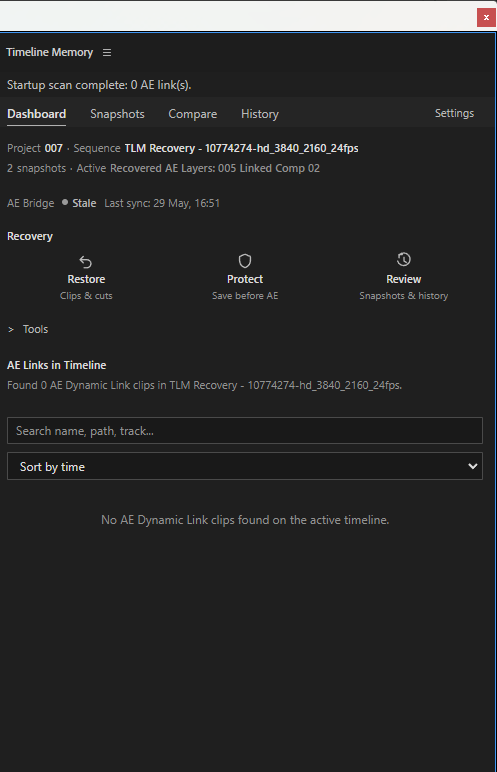
Timeline Memory Dashboard showing Recovery tools and existing Dynamic Link evidence

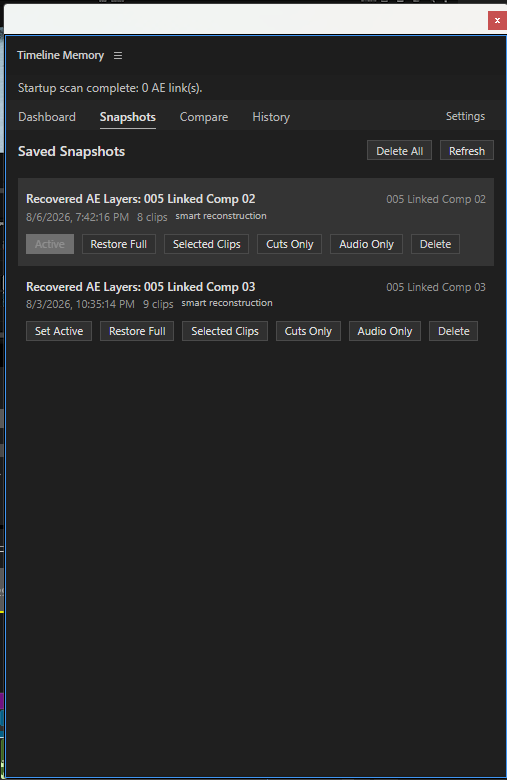
Keep recovery versions available

Snapshots preserve selected Premiere clips, edit points, timing, and timeline structure as protected recovery points, so you can compare a result and choose what to restore before changing the active edit.

Built for creatorsProtect the edit. Stay in the creative flow.
Timeline Memory Snapshots view with saved recovery versions and restore scope controls

Review before anything changes

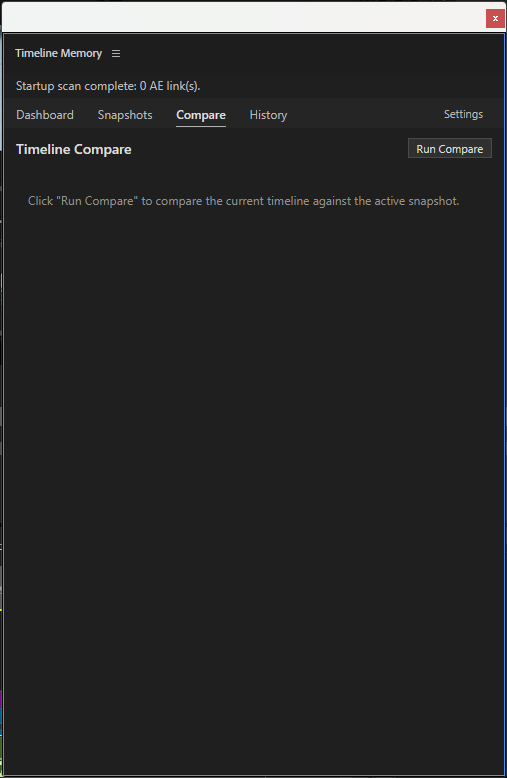
Compare the recovery result with the current timeline before restoring. Recovery is prepared in a duplicated sequence when Premiere permits; if a safe plan is unavailable, restore is blocked.

Review firstCompare the recovery state before restoring.
Watch the walkthrough
Timeline Memory Compare interface for reviewing the current timeline against an active snapshot

See the actions behind each recovery

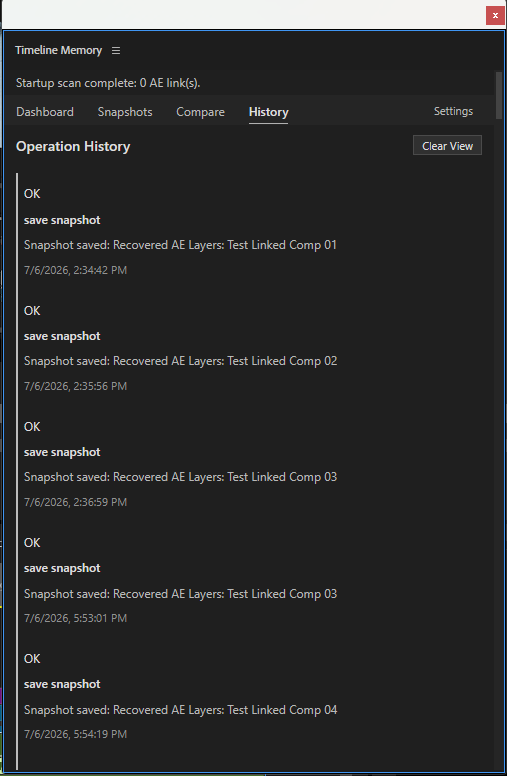
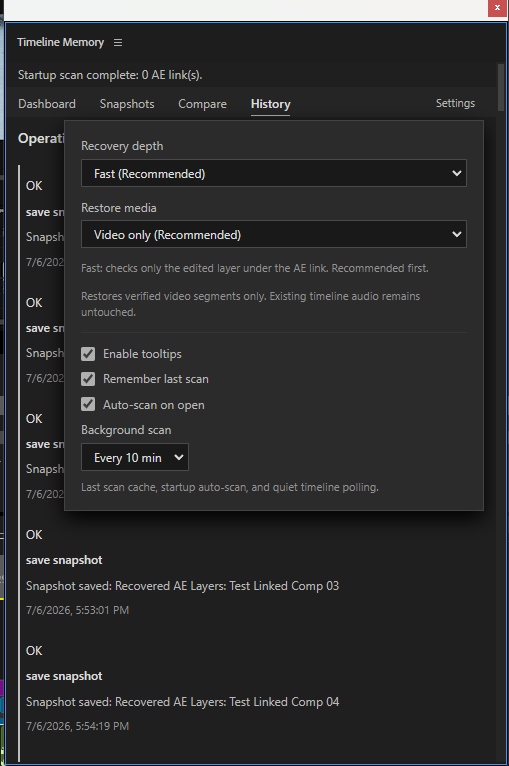
History lists prior snapshot and recovery actions with their recorded time, helping you review what Timeline Memory saved or prepared during the workflow.

Timeline Memory History view showing recorded snapshot and recovery actions

Set the recovery scope before you run it

Choose recovery depth, scan controls, and restore-media scope before recovery begins. Timeline Memory keeps the planned scope visible and under your control.

Works locallyProject files and media stay on your computer.

Ready to protect your Premiere edits?

Try Timeline Memory Free View product details
Timeline Memory Recovery Settings showing recovery depth and restore-media controls
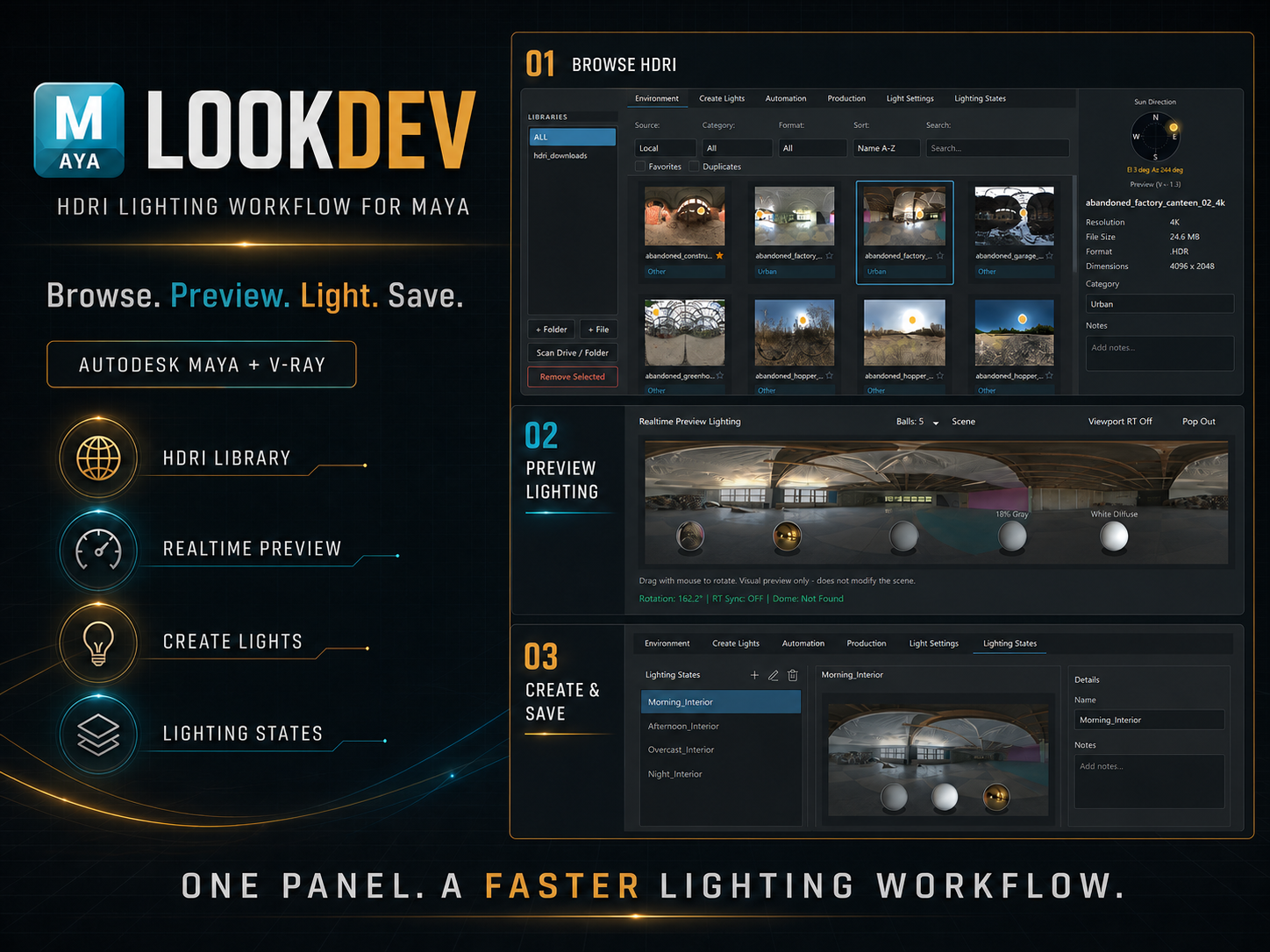
LookDev overview for HDRI lighting workflows in Autodesk Maya, using the real LookDev interface

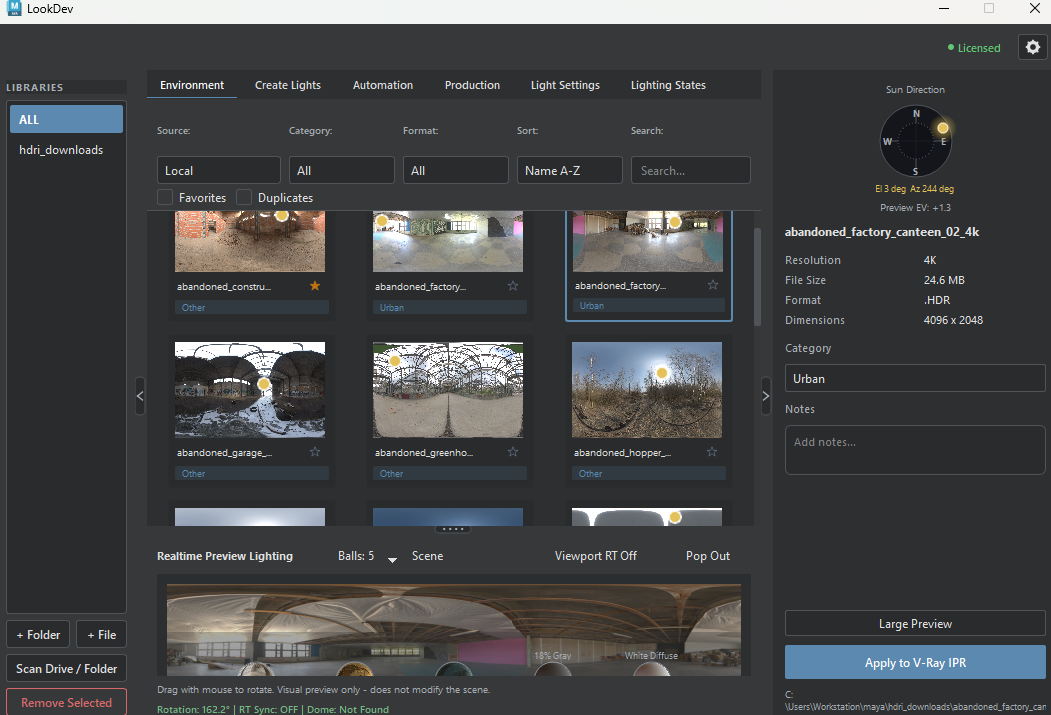
Browse HDRIs and preview lighting

Explore the HDRI library with thumbnails, search, and filters, then inspect the environment through LookDev's realtime preview controls in Maya.

Focused toolsBuilt around specific production tasks.
Open Environment docs
LookDev Environment tab with HDRI library, search controls, and realtime lighting preview

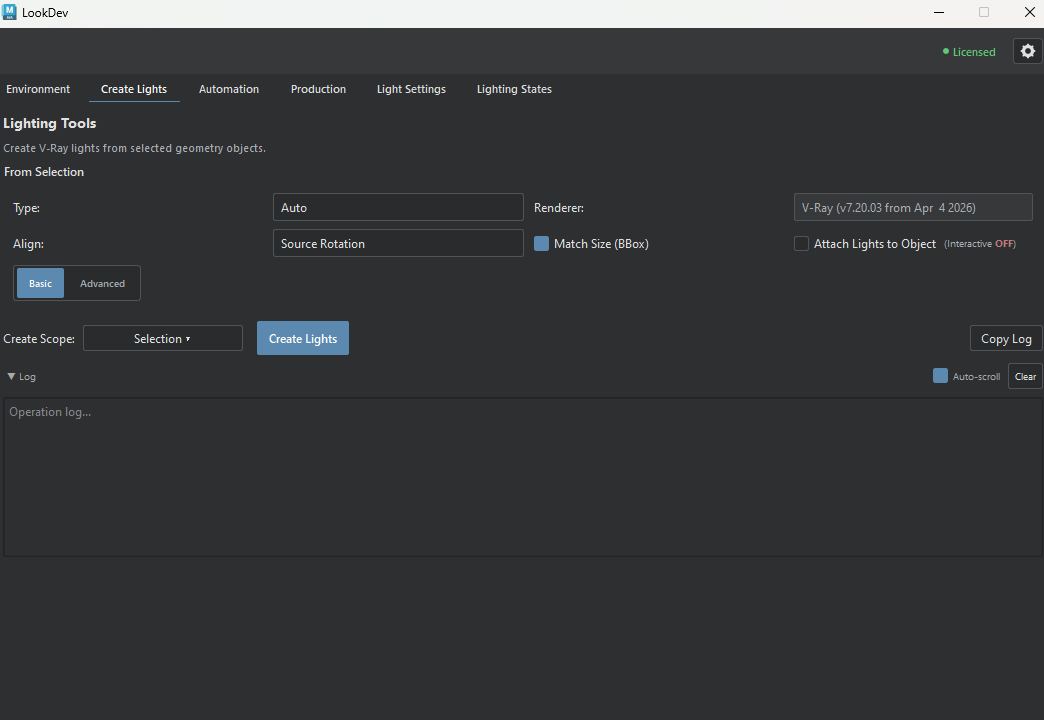
Build V-Ray lights from geometry

Create Lights builds light rigs from selected geometry, with V-Ray light creation controls kept together in a focused Maya workflow.

Open Create Lights docs
LookDev Create Lights tab for creating V-Ray lights from selected geometry

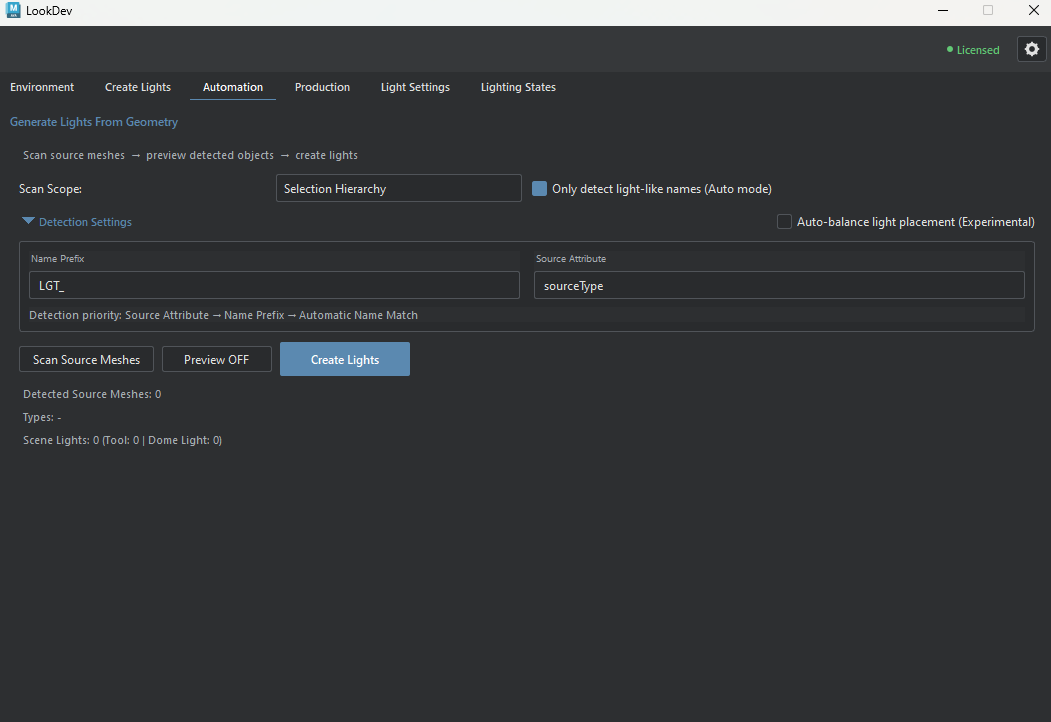
Generate lights from scene geometry

Scan source meshes, preview detected objects, then create lights from the selected scope with automation controls that keep the process visible.

Open Automation docs
LookDev Automation tab for scanning source meshes and generating lights

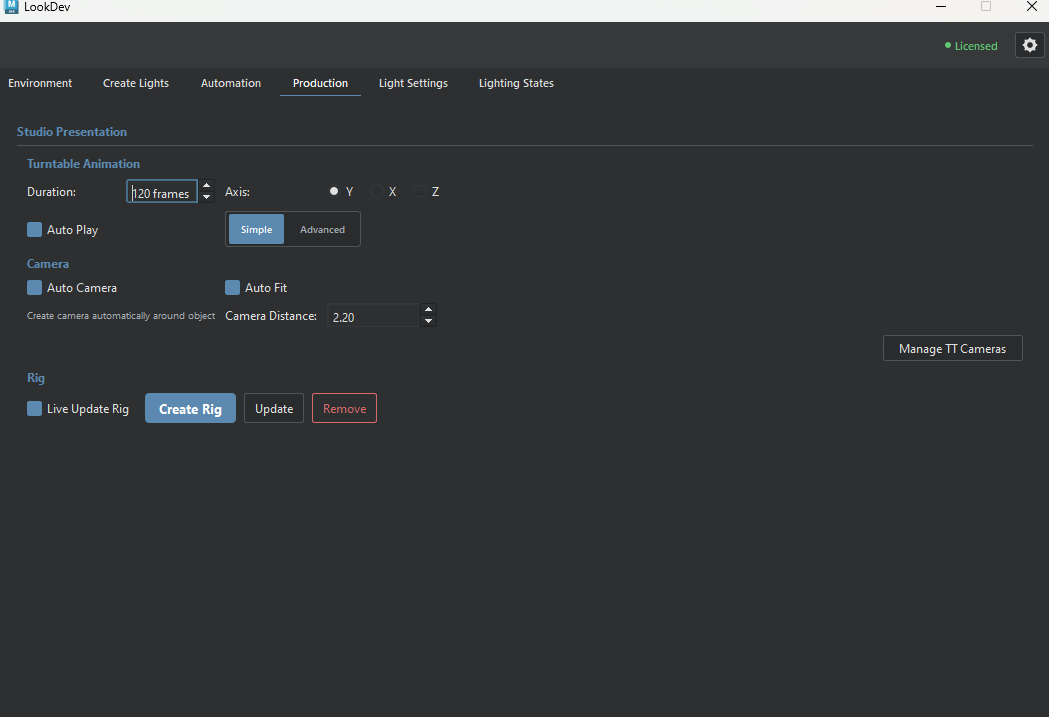
Prepare turntables and presentation rigs

The Production tab brings turntable, camera, and rig controls into the same toolset so presentation work stays close to the lighting workflow.

Open Production docs
LookDev Production tab with turntable, camera, and rig controls

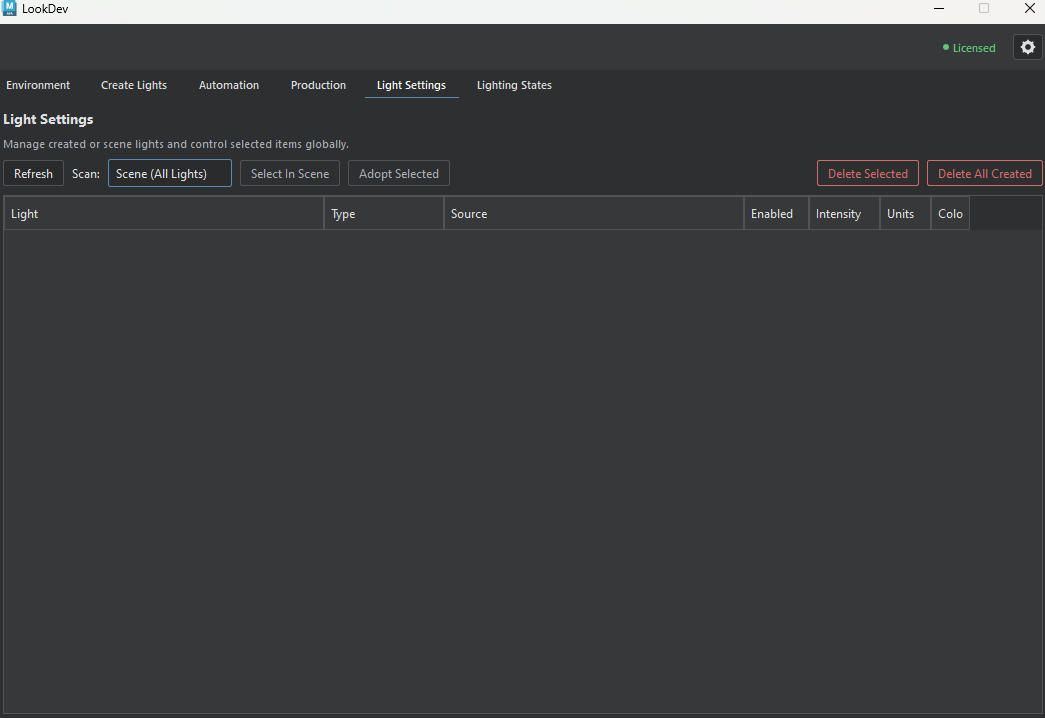
Manage lights already in the scene

Scan and manage created or compatible scene lights from one list, with controls for selecting, adopting, and reviewing the lights in the scene.

Open Light Settings docs
LookDev Light Settings tab for managing created and scene lights

Save, compare, and switch lighting states

Save a named lighting snapshot, compare State A and State B, and apply the chosen setup when reviewing alternatives for the same Maya scene.

Open Lighting States docs
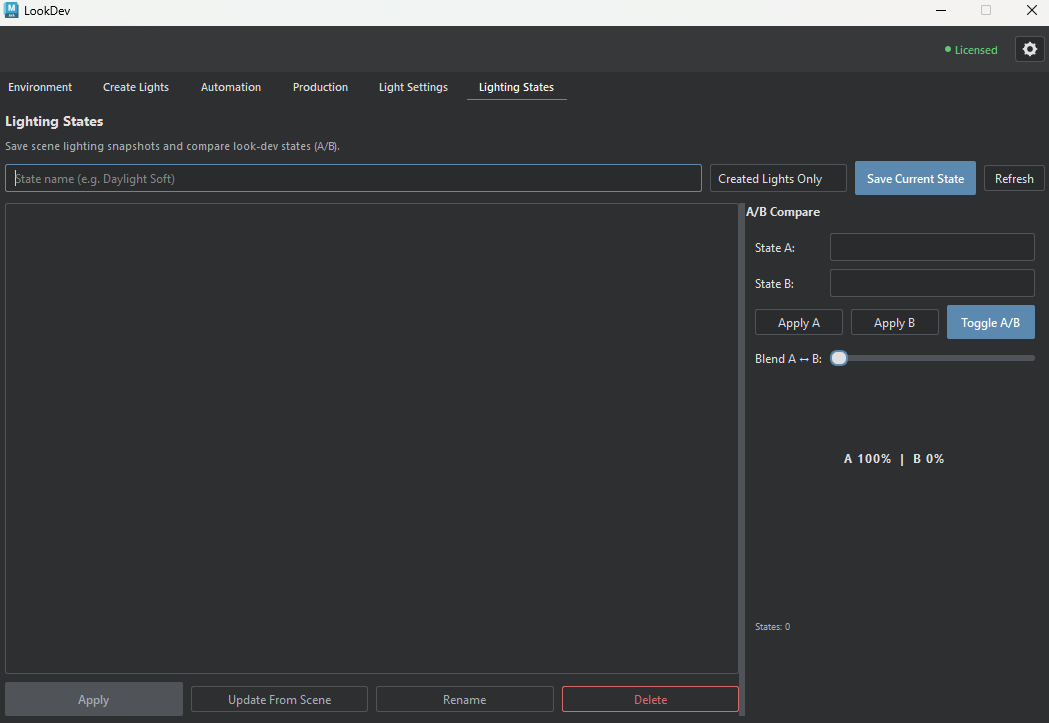
LookDev Lighting States tab for saving and comparing look development states

Guides

Open Documentation →