Timeline Memory
Protect selected Premiere Pro clips before an After Effects Dynamic Link replacement, or use Restore with an existing linked edit to attempt recovery.
Researching recovery options first? Read the Premiere Pro timeline recovery guide or open the Timeline Memory documentation.
- Save sequence snapshots before Dynamic Link replacement
- Inspect existing linked compositions without a prior snapshot
- Compare a saved Snapshot with the current timeline
- Restore in a duplicated sequence when Premiere permits it
- Keep project files and media local
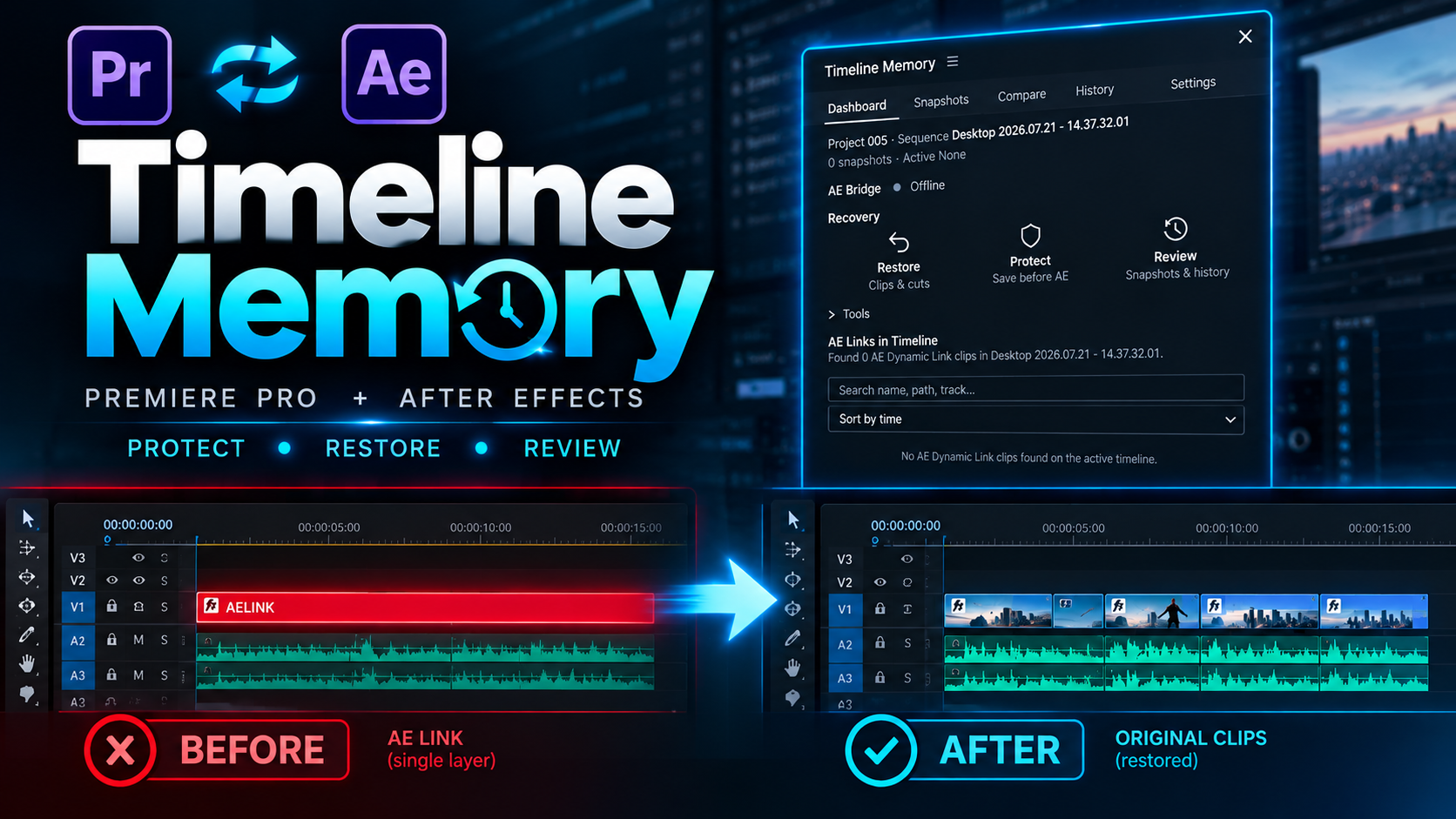

Premiere Pro workflow demonstration
Product footage of the Timeline Memory panel. Playback loads on request.
Have an earlier project version?
A saved or Premiere Auto-Save version from before the replacement may contain the original sequence edit. Inspect that version first, and keep a separate project backup.
Protected the selected edit?
Protect records a snapshot of selected clips and edit points before they are replaced by a Dynamic Link composition. Use that snapshot as a reference for the original edit.
Already replaced the edit with After Effects?
Use Restore with an existing Dynamic Link edit, even without a prior Snapshot. Recovery may be incomplete if the original media or edit information is unavailable. Compare the recovery paths in the guide.
Timeline Protection & Recovery
- Protect: save a snapshot of selected clips and edit points before Dynamic Link replacement.
- Restore: attempt recovery from an existing linked edit, even without a prior Snapshot.
- Review: compare the active snapshot with the current timeline. Use the History tab to inspect earlier operations.
Compatibility
- Snapshot, comparison and sequence-history workflow
- Recovery options for existing Dynamic Link edits
- Recovery-sequence safeguard before restoration
- Premiere Pro panel with After Effects integration
Timeline Memory FAQ
Answers about recovery safety, Dynamic Link workflows, purchasing, delivery, compatibility and licensing.
What does Timeline Memory recover?
Timeline Memory helps recover original Premiere Pro clips and cuts after a Dynamic Link replacement. A saved Snapshot can provide a clear reference; without one, results depend on what remains of the edit.
Do I need to create a snapshot before sending clips to After Effects?
No. Restore can attempt recovery from an existing AE Link. A Snapshot made before replacement gives you a clearer reference, but is not required.
Will recovery change my original sequence?
Restore works in a duplicate or existing recovery sequence rather than the original edit. If a safe recovery sequence is unavailable, insertion stops. Inspect the result in Premiere Pro before using it.
What happens when the original edit cannot be identified with certainty?
If the original clip order, trims, or cut points are unavailable, Timeline Memory may reconstruct only part of the edit—or may not have enough information to restore it.
Does the extension upload my project or media?
No. Your project files and media stay on your computer; Timeline Memory does not upload them to an external service.
Which versions are compatible?
The current Windows build has been tested with Premiere Pro 2026. After Effects should use the matching host generation for Dynamic Link. Other Premiere Pro versions are not advertised as verified until they are tested.
How is Timeline Memory installed?
The Windows installer includes both the 7-day trial and Full activation. After installation, restart Premiere Pro and open Window > Extensions (Legacy) > Timeline Memory. Start the trial without payment, or enter the Payhip license key supplied after purchase to activate the Full Version.
What license is included with the purchase?
A purchase includes a single-user license. Team or studio licensing can be arranged separately.
Questions about payment, downloads, updates or refunds? Visit the General FAQ →